
HDD vs SSD Data Recovery: Key Differences You Must Understand
Meet the passionate team at CaliPhonia, where affordable computer repairs meet expert craftsmanship. Situated in the heart of Silicon Valley, our family-owned workshop boasts over a decade of experience in cell phone and computer repairs, micro-soldering, and wireless networks. From virus and spyware removal to home and business network installations, our skilled experts offer free in-office diagnostics and delivery within a 20-mile radius. Let us breathe new life into your devices today. Contact us and experience the CaliPhonia difference.
Introduction
Data loss rarely announces itself politely. One moment, everything works. The next, a system refuses to boot, files vanish, or a drive becomes unreadable without warning. For many people, the instinctive reaction is panic. But beneath that panic lies a far more important question: what kind of storage device failed?
Hard Disk Drives (HDDs) and Solid State Drives (SSDs) behave very differently when they fail. They store data differently. They break differently. And most importantly, they require very different recovery approaches.
This is why Differences in HDD and SSD recovery explained is not just a technical discussion. It is the foundation for realistic expectations, faster decisions, and better outcomes when data is at risk.
At CaliPhonia – Phone & Computer Repair, storage recovery is not treated as guesswork. It is treated as investigation. Understanding HDD vs SSD failure and data recovery processes helps determine whether recovery is possible, how complex it will be, and what steps should never be attempted at home.
This guide walks you through those differences in a clear, engaging way, without overwhelming jargon, so you can understand what happens after a drive stops working-and why choosing the right recovery path matters.
Storage Is Not Just Storage: Why HDD and SSD Are Fundamentally Different
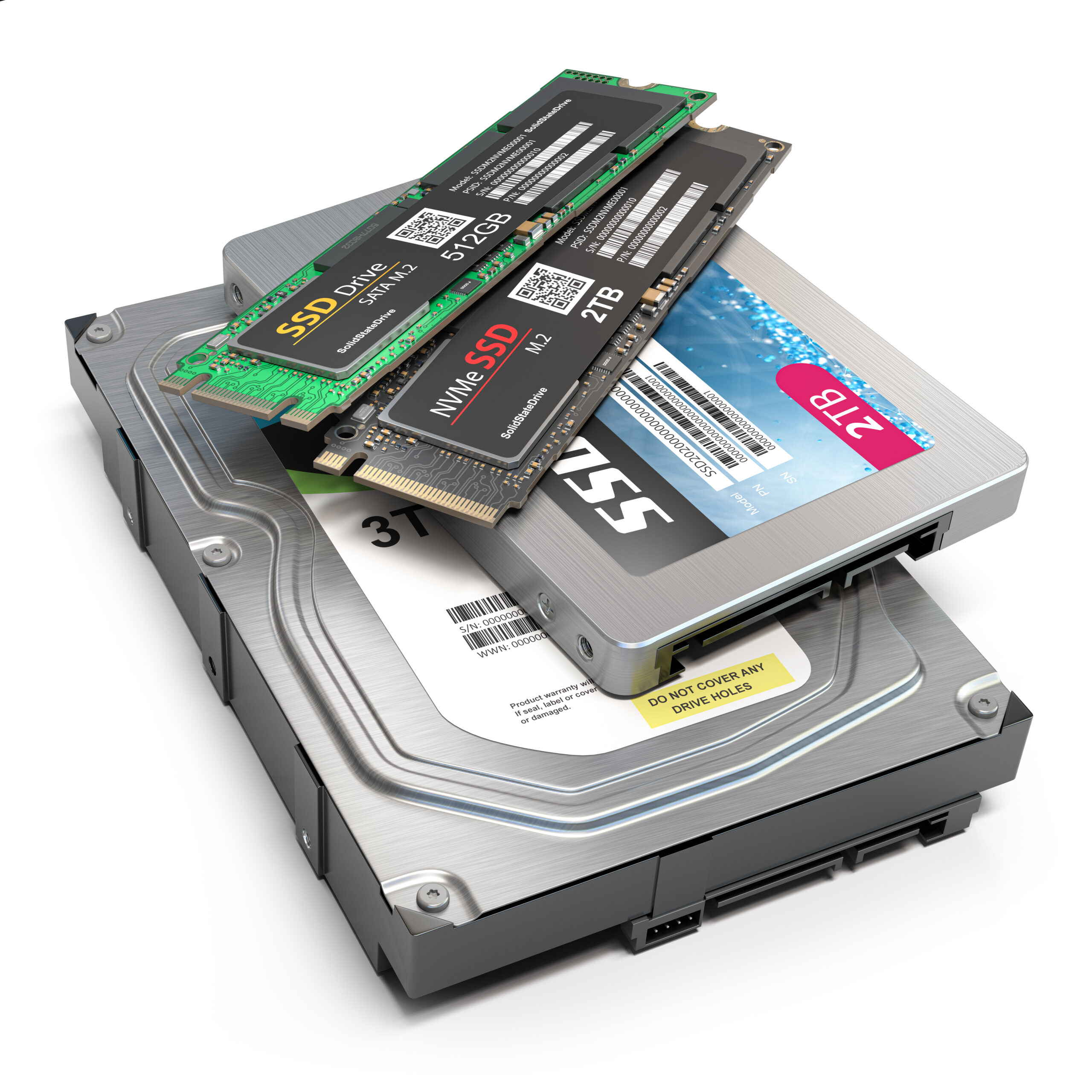
From the outside, HDDs and SSDs look similar. Both store your documents, photos, applications, and memories. Internally, they are worlds apart.
An HDD relies on spinning magnetic platters and mechanical arms that physically read and write data. Movement is constant. Precision is critical. When something goes wrong, the failure often leaves physical traces.
An SSD, by contrast, stores data electronically using flash memory chips. There are no moving parts. Data is managed by a controller that constantly reorganizes information for efficiency and longevity.
This difference alone explains why Comparing storage recovery methods for HDD and SSD is essential. You cannot approach these devices the same way. A method that works perfectly on an HDD may permanently destroy recoverable data on an SSD.
Understanding this distinction is the first step toward protecting what matters most.
How HDD Failures Tell a Story
When an HDD begins to fail, it often gives warnings. Clicking sounds. Slower performance. Files that take longer to open. These signals are not random. They are mechanical symptoms.
Because HDDs store data magnetically on spinning platters, recovery often involves locating intact sectors and reconstructing damaged ones. In many cases, even if the drive no longer boots, the data still physically exists on the platters.
This is where traditional recovery techniques shine. Controlled environments, specialized tools, and careful handling can often extract data even when the drive appears completely dead.
Understanding How data recovery works on HDD and SSD begins here. HDD recovery focuses on stabilizing mechanical failure long enough to access stored data. Time matters. Power cycling a failing HDD repeatedly can worsen platter damage, reducing recoverable data.
At CaliPhonia – Phone & Computer Repair, HDD recoveries are approached patiently and methodically. Every spin matters.
SSD Failures Are Silent-and More Complex
SSDs fail differently. Often without warning. One moment the drive is detected. The next, it disappears entirely.
Because SSDs rely on controllers and firmware to manage data across flash memory cells, failure is often logical rather than mechanical. A single malfunctioning controller can make perfectly intact data inaccessible.
This is why HDD vs SSD failure and data recovery processes differ so dramatically. SSD recovery frequently involves bypassing firmware-level problems, reconstructing data maps, and dealing with encrypted storage layers that cannot be accessed through normal means.
Additionally, SSDs use background processes that actively erase data blocks marked as unused. While this improves performance, it reduces the window for recovery after deletion or corruption.
This is why early intervention is critical. Continued use of a failing SSD can permanently erase data before recovery even begins.
Why DIY Recovery Can Be Risky
Online tutorials promise quick fixes. Free software claims miracles. In reality, storage recovery is rarely simple.
For HDDs, improper handling can scratch platters, turning recoverable data into permanent loss. For SSDs, repeated power cycles or write attempts can trigger background processes that erase recoverable memory blocks.
This is why Differences in HDD and SSD recovery explained must include an important truth: doing nothing is often safer than doing the wrong thing.
Professional recovery environments are designed to minimize risk, control variables, and preserve data integrity at every stage.
Recovery Is a Process, Not a Button
Recovery does not begin with software. It begins with diagnosis.
At CaliPhonia – Phone & Computer Repair, every recovery follows a structured evaluation process. The goal is not speed. The goal is accuracy.
HDDs are assessed for mechanical stability. SSDs are evaluated for controller behavior, firmware access, and memory structure.
Only after understanding the failure type can recovery proceed safely.
This is where Comparing storage recovery methods for HDD and SSD becomes practical, not theoretical. Each drive type demands a tailored approach, tools, and timeline.
Real Expectations Lead to Better Decisions
Not every data loss situation has a perfect ending, and acknowledging that reality is an important part of responsible recovery. Honesty matters, especially when personal memories, business records, or critical files are involved. Clear expectations help prevent rushed decisions that can unintentionally reduce the chances of success.
HDDs often allow partial or near-complete recovery when the magnetic platters remain readable. Even if the drive no longer boots or makes unusual noises, data may still physically exist and can sometimes be accessed with careful handling and controlled recovery techniques. Time, handling, and early intervention all play a role in how much can be restored.
SSDs, on the other hand, can be far less predictable. Controller failures, firmware corruption, and built-in encryption can make intact data inaccessible without advanced intervention. In some cases, background processes may permanently erase blocks of data before recovery even begins. This uncertainty is why SSD data loss often requires quicker assessment and more cautious decision-making.
Understanding How data recovery works on HDD and SSD allows clients to move forward without false hope or unnecessary fear. It shifts the focus from guarantees to informed choices. Recovery is not about promises or assumptions. It is about evaluating what is possible, protecting what remains, and choosing the safest path toward the best achievable outcome.
Why Professional Evaluation Matters More Than Brand or Size
Many people assume newer drives are safer. Or larger drives are harder to recover. Neither is universally true.
Failure depends on usage patterns, environment, power stability, and internal architecture.
Professional recovery focuses on behavior, not branding.
The Emotional Side of Data Loss
Behind every recovery request is a story. Family photos. Business records. Creative work. Years of effort compressed into fragile storage.
This is why recovery is treated with care, transparency, and respect.
At CaliPhonia – Phone & Computer Repair, data is never treated as just files. It is treated as trust.
Key Takeaways
- HDD and SSD failures behave differently and require distinct recovery strategies
- Mechanical HDD failures often allow recovery if handled carefully
- SSD failures can be silent and time-sensitive due to internal data management
- DIY recovery attempts can permanently reduce recovery success
- Professional diagnosis is essential before attempting any recovery
FAQs
1. Is HDD data easier to recover than SSD data?
In many cases, yes. HDDs often retain physically readable data even after failure, while SSDs may restrict access due to controller or firmware issues.
2. Can deleted files be recovered from SSDs?
It depends on how long the drive has been used after deletion. Background processes may permanently erase data quickly.
3. Does drive size affect recovery success?
Drive size alone does not determine recoverability. Failure type and usage patterns matter more.
4. Should I keep powering on a failing drive?
Repeated power cycles can worsen damage. It is safer to stop using the device and seek evaluation.
5. How long does data recovery usually take?
Timelines vary based on failure complexity, device type, and data condition.
Conclusion
Data recovery is not about quick fixes or shortcuts. It is about understanding what failed, why it failed, and how that failure affects the path forward. HDDs and SSDs may serve the same purpose on the surface, but beneath that surface they follow entirely different rules. Treating them the same can turn a recoverable situation into permanent loss.
By understanding the Differences in HDD and SSD recovery explained, you gain clarity when it matters most. Recognizing HDD vs SSD failure and data recovery processes helps prevent costly mistakes during moments of stress. Thoughtfully Comparing storage recovery methods for HDD and SSD ensures the right approach is taken from the start. And knowing How data recovery works on HDD and SSD allows expectations to stay realistic, grounded, and informed.
When data disappears, the most important step is not action. It is understanding. Pausing, preserving the device, and choosing the right recovery path can make all the difference between loss and restoration. In data recovery, informed decisions are the strongest safeguard you have.
Remember: Data recovery is most successful when action is thoughtful, not rushed. The moment a drive behaves abnormally is the moment caution matters most. Pausing, preserving the device, and seeking professional evaluation can make the difference between recovery and permanent loss.
Disclaimer: This blog is intended for informational purposes only and does not replace professional diagnostic evaluation. Data recovery outcomes vary based on device condition, usage history, and failure type.
