
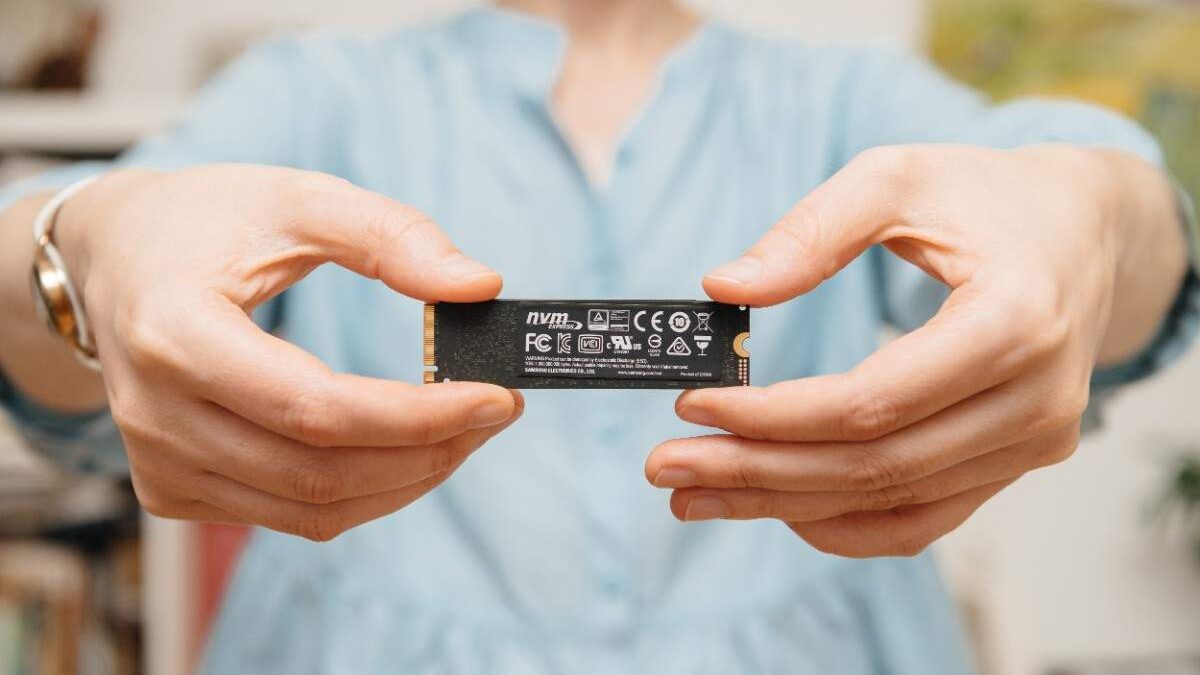
SSD Failure Recovery: Tools, Techniques, and Professional Solutions
Meet the passionate team at CaliPhonia – Phone & Computer Repair, where affordable computer repairs meet expert craftsmanship. Situated in the heart of Silicon Valley, our family-owned workshop boasts over a decade of experience in cell phone and computer repairs, micro-soldering, and wireless networks. From virus and spyware removal to home and business network installations, our skilled experts offer free in-office diagnostics and delivery within a 20-mile radius. Let us breathe new life into your devices today. Contact us and experience the CaliPhonia – Phone & Computer Repair difference.
A solid-state drive can fail without warning. One moment, your laptop boots normally, and the next, the system refuses to recognize the drive that contains years of documents, projects, photographs, business records, or sensitive client data. Unlike traditional hard drives that often provide warning signs such as clicking noises or slow spinning disks, SSD failures can appear sudden and silent.
For many users, that silence is what makes SSD crashes particularly stressful.
Modern SSDs are engineered for speed, efficiency, and reliability, but no storage technology is immune to damage. From firmware corruption and power surges to controller failures and overheating, numerous causes of solid-state drive failure can render data inaccessible.
The good news is that data loss does not always mean permanent loss.
With modern SSD data recovery tools, advanced diagnostics, and professional SSD recovery services, many failed drives can still be recovered successfully. The key lies in understanding what happened to the drive, how SSD recovery differs from traditional hard drive recovery, and what steps to take immediately after failure.
This guide explores the realities of SSD failure recovery, the techniques professionals use, and the safest ways to improve the chances of successful restoration.
When an SSD Suddenly Stops Working
An SSD failure often feels abrupt because SSDs operate differently from traditional hard drives. Instead of spinning magnetic disks, SSDs rely on NAND flash memory chips and sophisticated controllers that manage data storage.
When one component fails, the entire drive may become unreadable almost instantly.
Users commonly experience situations such as:
- The SSD is disappearing from the BIOS
- The computer freezes during startup
- Files are becoming corrupted unexpectedly
- Read and write speeds are dropping dramatically
- Blue screen errors during boot
- Operating systems failing to load
- External SSDs are disconnecting repeatedly
In many situations, users begin searching for solutions related to an SSD not detected repair because the drive no longer appears within the operating system or hardware manager.
This stage is critical because improper troubleshooting can worsen the drive’s condition.
Unlike older HDDs, SSDs use a technology called TRIM, which automatically clears deleted data blocks to improve performance. While this makes SSDs incredibly fast, it can also complicate recovery if the wrong actions are taken after a failure occurs.
Why SSD Failures Are Different from HDD Failures
Traditional hard drives typically fail mechanically. SSDs fail electronically and digitally.
That difference changes the entire recovery process.
An HDD may still allow partial access even when damaged. SSDs, however, often fail because the controller manages access to every memory chip. If the controller stops functioning, the data becomes inaccessible even if the NAND chips themselves remain intact.
Some of the most common solid-state drive failure causes include:
Firmware Corruption
Firmware serves as the SSD’s operating system. If the firmware becomes corrupted during an update, crash, or power interruption, the drive may no longer initialize properly.
Power Surges
Sudden electrical fluctuations can damage SSD circuits or corrupt the internal mapping tables that locate stored data.
NAND Wear
Every SSD has a limited number of write cycles. Over time, excessive writing can degrade memory cells and reduce reliability.
Overheating
Continuous high temperatures can weaken internal components and accelerate controller failure.
Controller Damage
The SSD controller coordinates communication between the computer and memory chips. When it fails, the drive may become entirely invisible to the system.
Physical Damage
Drops, liquid exposure, and motherboard shorts can also affect SSD functionality.
Understanding the causes of solid-state drive failures helps determine whether recovery is possible through software solutions or requires advanced laboratory procedures.
The First Mistake Most Users Make
Panic often leads to accidental data destruction.
Many users repeatedly restart the computer, attempt random repair utilities, or install multiple recovery programs without understanding the condition of the SSD. In some cases, this can permanently reduce the chances of recovery.
If an SSD has failed, experts generally recommend:
- Stop writing new data immediately
- Avoid formatting the drive
- Do not reinstall the operating system
- Avoid repeated power cycling
- Disconnect the drive safely
- Seek professional evaluation if the drive is physically damaged
When dealing with SSD not-detected repair situations, forcing the drive to initialize repeatedly may worsen firmware corruption or electrical instability.
The safest approach is to make a careful diagnosis before attempting recovery.
Solid state drive failure causes at CaliPhonia – Phone & Computer Repair
The Role of SSD Data Recovery Tools
Modern SSD data recovery tools are designed to recover files from corrupted, deleted, formatted, or partially damaged drives. However, their effectiveness depends heavily on the type of failure.
If the SSD is still recognized by the system, software recovery may be possible.
Some recovery tools specialize in:
- Recovering accidentally deleted files
- Rebuilding damaged partitions
- Repairing corrupted file systems
- Extracting data from RAW drives
- Cloning unstable SSDs
- Recovering formatted drives
Professional technicians often use advanced SSD data recovery tools at CaliPhonia – Phone & Computer Repair that operate at the sector level rather than through standard file browsing.
These tools can sometimes bypass logical corruption and extract raw data directly from readable memory sectors.
However, software recovery becomes far more complicated if:
- The SSD is completely undetected
- The controller has failed
- Firmware is inaccessible
- NAND translation tables are corrupted
- Electrical damage exists
In those cases, professional intervention is usually required.
SSD Not Detected Repair: What It Really Means
When users search for an SSD not detected repair, the issue can originate from several different layers of the system.
Sometimes the SSD itself is functional, while the failure comes from:
- Faulty cables
- BIOS settings
- Corrupted drivers
- Power supply instability
- Motherboard communication issues
In other situations, the SSD itself has suffered internal damage.
Professional diagnostics often begin with:
BIOS Detection Tests
Technicians determine whether the drive appears at the hardware level.
Voltage and Power Analysis
Electrical testing identifies short circuits or failed components.
Firmware Access
Specialized equipment attempts to communicate directly with the SSD controller.
NAND Health Evaluation
Memory chips are examined for degradation or corruption.
A proper SSD not-detected repair process involves identifying whether the failure is logical, firmware-based, electrical, or physical before recovery attempts begin.
Why DIY Recovery Can Become Risky
Online tutorials often make SSD recovery appear simple. In reality, SSD architecture is extremely complex.
Unlike hard drives, SSDs distribute data across memory chips using proprietary algorithms. Many drives also include encryption, wear-leveling systems, and hidden translation layers.
This means recovery attempts without proper knowledge can accidentally:
- Trigger TRIM operations
- Overwrite critical metadata
- Corrupt firmware further
- Damage unstable NAND chips
- Destroy partition structures
Consumer-grade SSD data recovery tools can help in minor logical failures, but they are not designed for serious hardware-level damage.
Once the SSD becomes physically unstable, professional recovery environments become essential.
Inside Professional SSD Recovery Services
Professional SSD recovery services combine software engineering, electronics expertise, and forensic recovery techniques.
Unlike standard computer repair shops, specialized recovery laboratories use dedicated equipment that can communicate directly with SSD components.
The recovery process often includes:
Controlled Diagnostics
The SSD is tested in an electrostatic-safe environment to prevent additional electrical damage.
Firmware Reconstruction
Corrupted firmware modules may be repaired or rebuilt.
Controller Stabilization
Technicians attempt to restore communication with the SSD controller.
NAND Chip Reading
If the controller is completely dead, memory chips may be removed and read individually using specialized hardware.
Data Reconstruction
Recovered memory fragments are reassembled into usable files through advanced algorithms.
Professional SSD recovery services at CaliPhonia – Phone & Computer Repair are especially important for:
- Business-critical data
- Financial records
- Legal documentation
- Creative project archives
- Enterprise servers
- Research databases
- Family photographs and videos
The complexity of SSD recovery explains why success rates often depend on how quickly professional help is sought after failure.
The Hidden Challenge of TRIM Technology
One of the biggest differences between HDD and SSD recovery is the TRIM command.
TRIM is designed to improve SSD performance and lifespan by automatically clearing deleted data blocks. While beneficial for performance, it can significantly complicate data recovery.
If deleted data has already been processed through TRIM, recovery may become impossible because the information is actively erased rather than simply marked as available space.
This is why immediate action matters after accidental deletion or formatting.
Disconnecting the SSD quickly can sometimes reduce further TRIM processing and improve recovery possibilities.
Professional SSD recovery services often use techniques to minimize further data loss during early-stage diagnostics.
Can Failed SSDs Be Fully Recovered?
The answer depends entirely on the type of failure.
Recovery success is generally highest when:
- Failure is logical rather than physical
- NAND chips remain healthy
- The drive has minimal overwrite activity
- TRIM has not fully cleared the data
- Power damage is limited
- Firmware corruption is repairable
Recovery becomes more difficult when:
- NAND chips are physically damaged
- Severe electrical burns exist
- Multiple components fail simultaneously
- DIY recovery attempts caused further corruption
Even in serious cases, modern professional SSD recovery services can sometimes recover partial or complete datasets using chip-level extraction techniques.
Preventing Future SSD Failures
Although no drive lasts forever, proper habits can greatly reduce the risk of catastrophic SSD loss.
Recommended practices include:
Maintain Regular Backups
The most reliable recovery solution is prevention.
Monitor SSD Health
SMART monitoring tools can detect declining health indicators.
Protect Against Power Surges
Using surge protectors or UPS systems reduces electrical risk.
Avoid Excessive Heat
Proper ventilation improves SSD longevity.
Update Firmware Carefully
Only install firmware updates from official manufacturers.
Replace Aging Drives Proactively
Older SSDs with heavy write usage should eventually be retired before failure occurs.
Understanding the causes of solid-state drive failures helps users develop safer long-term storage strategies.
Key Takeaways
- SSD failures often occur suddenly without mechanical warning signs.
- Common causes of solid-state drive failure include firmware corruption, power surges, overheating, NAND wear, and controller failure.
- SSD not detected repair situations require careful diagnostics before recovery attempts begin.
- Consumer SSD data recovery tools may help with logical failures, but are limited in hardware-level recovery.
- TRIM technology can quickly and permanently erase deleted SSD data.
- Professional SSD recovery services use advanced techniques, including firmware repair and NAND chip extraction.
- Immediate action after SSD failure can significantly improve recovery success rates.
- Preventive backups remain the best defense against permanent data loss.
Conclusion
SSD technology has transformed computing through remarkable speed and efficiency, but when failure occurs, recovery becomes a highly specialized challenge. Unlike traditional hard drives, SSDs rely on complex firmware, controllers, and flash memory structures that require precise handling during recovery attempts.
Whether dealing with accidental deletion, firmware corruption, or a complete SSD-not-detected repair scenario, understanding the risks and recovery options can make a critical difference. While SSD data recovery tools may resolve certain logical issues, severe failures often require the expertise, equipment, and controlled environments offered by professional SSD recovery services.
Data loss situations can feel overwhelming, especially when important personal or business files are involved. However, acting quickly, avoiding risky DIY fixes, and seeking accurate diagnostics can greatly improve the chances of successful recovery.
In the modern digital world, information is often more valuable than the hardware itself. Protecting that information starts not only with backups but also with informed decisions when SSD failures occur.
FAQs
1. Can data be recovered from a completely dead SSD?
Yes, in some cases. Professional SSD recovery services may recover data even from drives that no longer power on by accessing NAND memory chips directly. Recovery success depends on the extent of damage.
2. What are the most common solid-state drive failure causes?
Firmware corruption, controller failure, overheating, NAND wear, electrical surges, and physical damage are among the most common causes of SSD failure.
3. Are SSD data recovery tools safe to use?
SSD data recovery tools can be useful for logical failures such as accidental deletion or corrupted partitions. However, using them improperly on physically damaged drives may worsen the situation.
4. Why is my SSD not detected by the computer?
SSD not detected: repair issues may result from firmware corruption, motherboard communication errors, damaged connectors, controller failure, or power-related problems.
5. How long does professional SSD recovery usually take?
Recovery time varies depending on the severity of the failure. Minor logical recoveries may take a few hours, while complex chip-level recoveries can require several days.
For directions, use this helpful Google Maps link or get step-by-step navigation via Get Directions.
Remember: SSD failures can happen without warning, but quick action and proper recovery decisions can significantly improve the chances of restoring important data safely and successfully.
Disclaimer: This blog is intended for educational and informational purposes only and should not replace a professional technical evaluation. Recovery outcomes vary depending on the condition of the SSD and the extent of damage present.
Mention promo code V5001 when booking your free diagnostic service to waive the standard $100 diagnostic fee.
